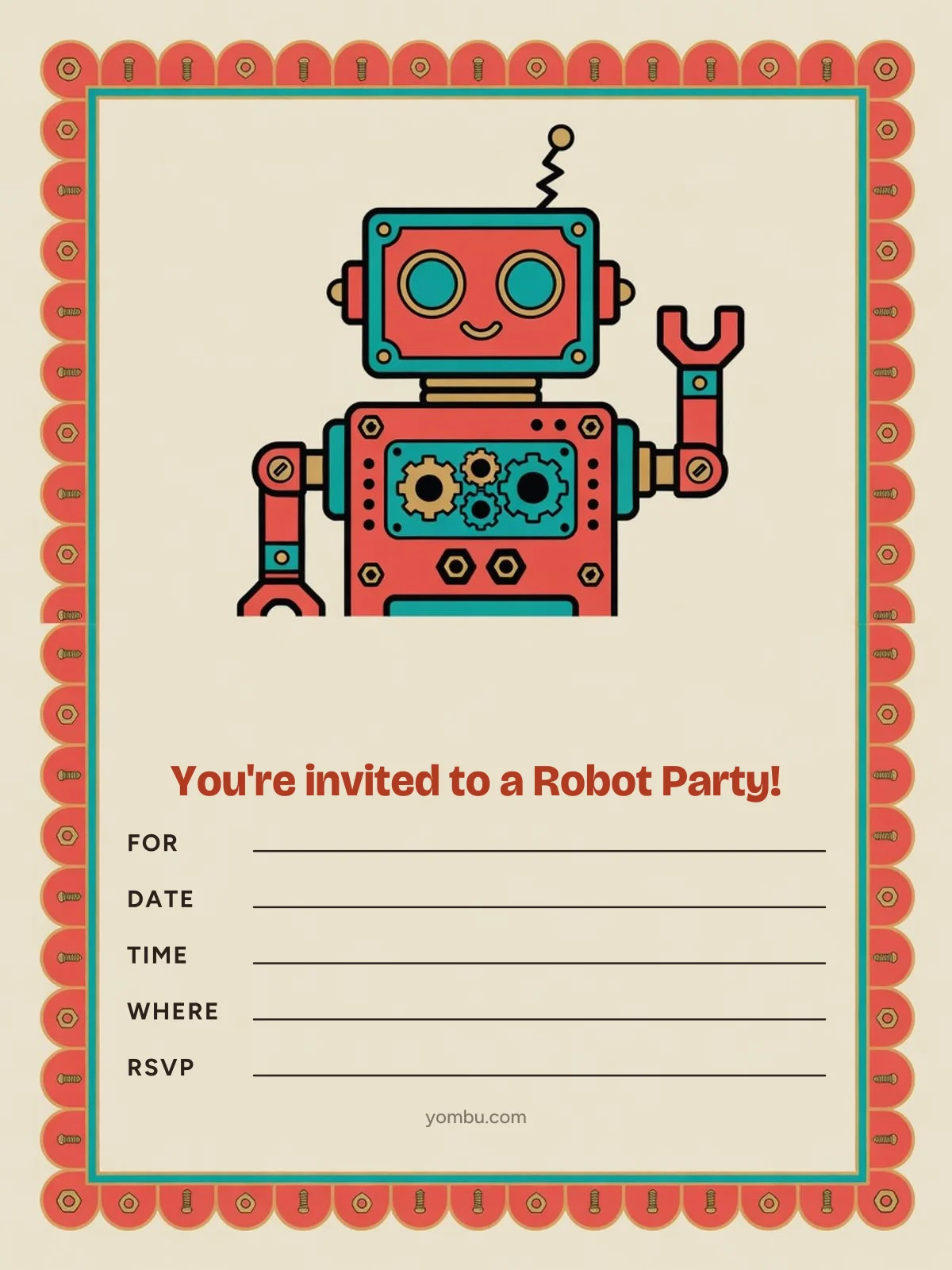
The robot invitation
Free to download and print — write in the date, the time and the address, and it’s ready to send.
What to write on a robot birthday invitation
The card already reads “You’re invited to a Robot Party!” and has blanks for For, Date, Time, Where and RSVP. For the back of the card, the text you send with it or a digital invite, here are three ways to word it — swap in the bracketed details. If guests are building cardboard robot costumes, say so — and ask families to save a box or two.
Classic
Beep boop — you’re invited!
[Name] is turning [age] — join us for a robot party.
[date], [time] to [end time]
[address]
We’ll build cardboard robot costumes together.
RSVP to [your name] at [phone] by [RSVP date]
Playful
Warning: fun levels rising!
[Name]-bot is upgrading to version [age].
[date] · [time] to [end time] · [address]
Bring a cardboard box if you have one.
RSVP by [RSVP date]: text [phone]
Drop-off or at a venue
Robot lab party for [Name]
[Name] turns [age]! Drop off at [venue name], [address]
[date], [time]; pickup at [end time]
Every guest builds a bot to take home.
RSVP to [your name] by [RSVP date] — call or text [phone]
Planning the whole robot party? See the games, food and decor ideas that go with it.
When to send it, and how
- When to send them
- 2–6 weeks before the party. Two weeks is the floor for a casual party at home (L.A. Parent; PBS KIDS for Parents says 2–3 weeks). Paperless Post suggests a month, Evite says most parents send 4–6 weeks out, and for a party at a venue Paperless Post advises at least six weeks.
- The RSVP date
- At least five days before. Ask for replies at least five days before the party, and sooner if a venue needs a final head count (L.A. Parent). Two or three days out, call or text anyone who hasn’t answered (PBS KIDS for Parents).
- Printing it
- Half-letter or 5×7. The card is a 3:4 portrait (1,200 × 1,600 pixels). Print it half-letter, two to a US Letter sheet cut down the middle: each half is 5½ × 8½ inches, the card fills about 5½ × 7⅓, and it fits an A9 envelope. Or print one on 5×7 cardstock, where it fills about 5 × 6⅔ inches with a slim border and slips into an A7 envelope.
Class-list etiquette, how many to invite and what every invitation needs
Sources: L.A. Parent, PBS KIDS for Parents, Paperless Post, Evite, Emily Post Institute, Girl Scouts of the USA, Wikipedia, Shutterfly. Card sizes are measured from the printable itself.
Frequently asked questions
- What should a robot birthday invitation say?
- Open with a line that sets the scene — “Warning: fun levels rising!” — then give the essentials: your child’s name and age, the date, a start and an end time, the full address, and who to RSVP to by when. The printable already reads “You’re invited to a Robot Party!” across the top, with blanks for For, Date, Time, Where and RSVP, so a longer message fits on the back of the card or in the text you send with it.
- When should I send robot party invitations?
- 2–6 weeks before the party. Two weeks is the floor for a casual party at home (L.A. Parent; PBS KIDS for Parents says 2–3 weeks). Paperless Post suggests a month, Evite says most parents send 4–6 weeks out, and for a party at a venue Paperless Post advises at least six weeks. Set the RSVP date at least five days before the party (L.A. Parent).
- What should guests wear or bring to a robot party?
- If guests are building cardboard robot costumes, say so — and ask families to save a box or two. Naming the theme on the invitation tells families how to dress and what to bring (L.A. Parent). If it’s a drop-off party, say so plainly — “drop-off preferred” is the polite way to put it.
- Can I send the robot invitation by text?
- Yes. The robot invitation downloads as a picture, so it drops straight into a group text or an email — the same channels Paperless Post and Evite use for digital invitations. Type the date, time and address into the message too, so parents can copy them into a calendar. If you’re not inviting the whole class, send it to each family directly rather than posting it in the class-parent chat (Emily Post Institute; Girl Scouts of the USA).
- What size should I print the robot invitation?
- Half-letter or 5×7. The card is a 3:4 portrait (1,200 × 1,600 pixels). Print it half-letter, two to a US Letter sheet cut down the middle: each half is 5½ × 8½ inches, the card fills about 5½ × 7⅓, and it fits an A9 envelope. Or print one on 5×7 cardstock, where it fills about 5 × 6⅔ inches with a slim border and slips into an A7 envelope. Ordinary printer paper works; cardstock holds up better in a backpack.